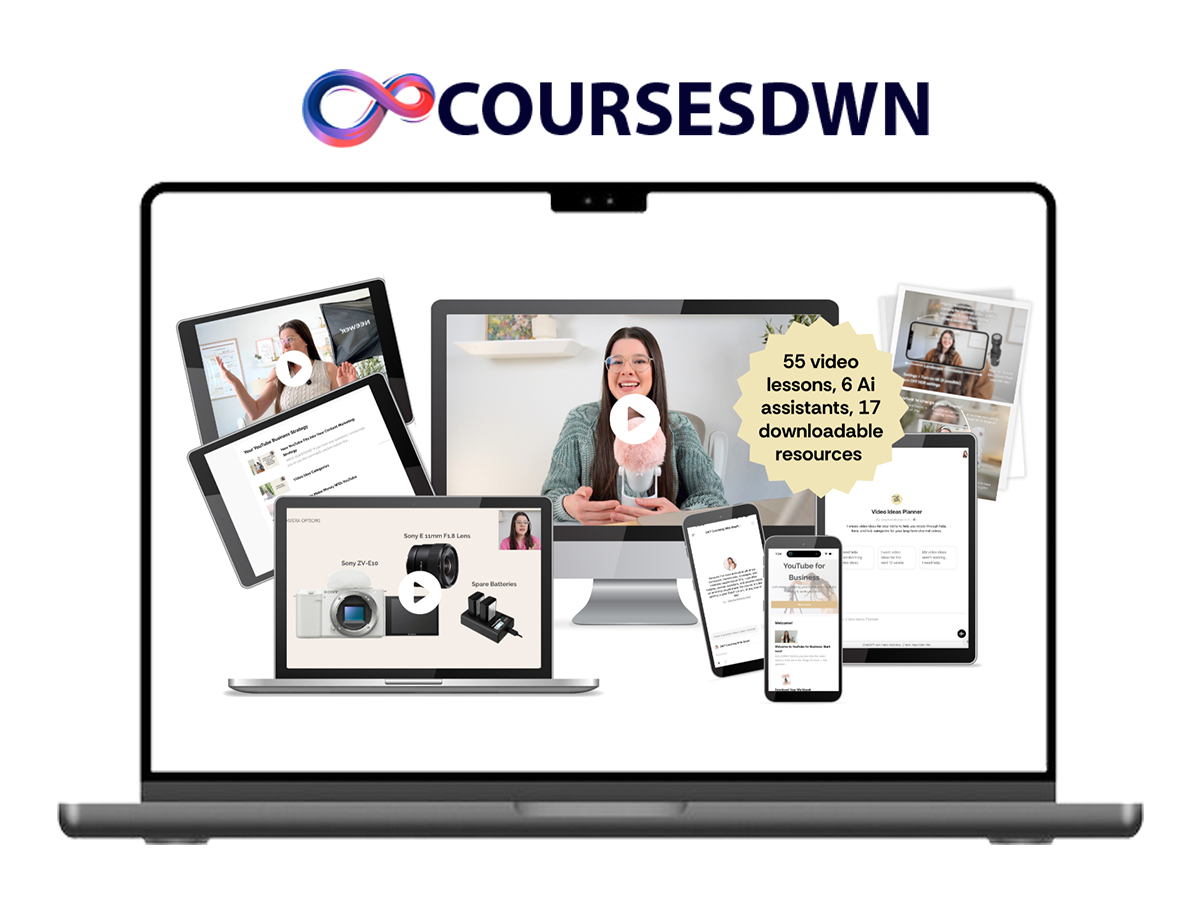
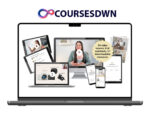
Stephanie Kase – YouTube For Business
YouTube For Business
YouTube For Business BY Stephanie Kase

Stephanie Kase – YouTube For Business Download
Stephanie Kase – YouTube For Business is a practical, AI-powered system for creators and course sellers who want a steady stream of new leads and buyers—without living on social media. Install a stress-free, evergreen YouTube workflow that takes as little as 4 hours per month with one assistant (or ~4 hours per week solo), while your videos work 24/7 to grow your list and sales.
What’s Included
- LIFETIME access to the full course and future updates.
- AI coaching built-in: two custom AI assistants trained on the entire curriculum for on-demand answers, clarity, and implementation support.
- Evergreen 4-hour workflow: a monthly/weekly cadence for planning, filming, editing, and publishing that compounds over time.
- Simple gear, pro results: smartphone-friendly setups, lighting/backdrop checklists, and camera/mic walkthroughs (from budget to advanced).
- Idea → Outline → Script: frameworks to research titles that get views, structure 8–12 minute videos, and point traffic to your list and offers.
- Publishing system: thumbnails, descriptions, scheduling, chapters, A/B/C tests, analytics, and TubeBuddy tutorials.
- Repurposing & operations: how to repurpose long-form to other platforms, delegate steps to a small team, and keep quality high.
- Templates & checklists: content calendar, filming workflow, camera settings, 200+ hooks, thumbnail templates, graphic pop-ups, outros, and more.
- Case study: Tabitha Emma doubled subscribers in 9 months, got monetized, and hit 20K+ views on single videos using this system.
YouTube For Business Course Modules
Module 1: Your YouTube Business Strategy
- 5 Week Plan to Launch Your YouTube Channel with AI assistant
- How to Keep Going When The Going Gets Tough
- Create Your Upload Schedule
- Branding Your Channel & Setup Checklist
- YouTube Channel Banner Canva Template
Module 2: YouTube Launch Plan & Creating Your Channel
- How to Research Exact Video Ideas & Titles
- My Simple Outline Framework
- Putting Your Ideas & Outlines Into a Content Calendar Tutorial
- YouTube Analytics Tutorial
- Tubebuddy Tutorial
Module 3: Video Ideas & Outlines
- Preparing Your Filming Space (Lighting, Backdrops, & More)
- Backdrops Inspiration Cheat Sheet
- Your Placement In The Frame Cheat Sheet
- Beginner Softbox Setup Tutorial
- Advanced Softbox Setup Tutorial
- Nighttime Softbox Setup Tutorial
Module 4: Backdrops & Lighting
- How to Choose Your Camera & Mic
- Smartphone Camera Setup Tutorial
- Beginner, Affordable Camera: Sony EZ-V10 Setup Tutorial
- Advanced, Expensive Camera: Sony A7IV Setup Tutorial
- Wireless Mic Setup for “On Location” Video Filming or Filming With 2 People Tutorial
Module 5: Gear Setup Walkthroughs
- Filming Day Workflow
- How to Feel and Look Confident on Camera
- Post-Filming Organization Tutorial
- How to Record Your Screen & Camera at the Same Time
- Best Practices for Recording Vlogs
- Watch Me Film a YouTube Video (from start to finish)
Module 6: Video Filming
- How to Choose an Editing Workflow: DIY vs. Editor
- Framework for Long Form Video Editing That’s Effective *Watch Even If You’re NOT DIY Editing*
- Best Practices for Intros
- Best Practices for Outros
- My Trusted & Recommended Video Editor
Module 7: Video Editing Overview
- Video Editing Checklist
- Licensing Royalty Free Music
- iMovie Editing Tutorial (Free Program)
- TUTORIAL: Descript Editing Tutorial (Paid Program)
- TUTORIAL: Final Cut Pro Editing Tutorial (Paid Program)
- More Editing Program Options
- Graphic Pop-up Canva Templates
- YouTube Outro Canva Templates
Module 8: DIY Editing Tutorials & Templates
- Best Practices for Thumbnail Creation & Editing
- Canva Thumbnail Editing Tutorial (Free & Paid Program)
- Video Descriptions
- YouTube Uploading & Scheduling Tutorial
Module 9: Uploading & Scheduling
- Repurpose YouTube Videos Onto Other Platforms
- Outsourcing Steps of Your Workflow to an Assistant
- Bonus Thing to Think About if You Work With Clients
- How to Change a Link Across Your Entire Channel
- Finding Video Ideas in YouTube Studio
- Video Gaining Traction? Here’s What to Do
- How to A/B/C Test Thumbnails
- Adding Time Stamps (Chapters) To Your Videos
Module 10: Advanced YouTube Strategies
- Should You Record a Podcast & Upload to YouTube?
- YouTube Shorts
- What to Do With Your Existing Channel Videos
- How Do I Use YouTube for a Local, Service Based Business?
- But you have a team. How am I, a solo entrepreneur, supposed to keep up with all of this?
- How Much Do I Share in My Free YouTube Videos vs. Paid Offers?
Module 11:Common YouTube Questions
- Important YouTube Terms
- Video Description Template
- 200+ Hook Ideas
- YouTube Content Calendar Template
- YouTube Thumbnail Canva Templates
- Video Ideas Checklist
- YouTube Filming Workflow Checklist
- Camera Settings Cheat Sheets
Downloads, Templates & AI Tools
- Checklists: filming workflow, camera settings, video ideas, editing checklist.
- Templates: content calendar, video descriptions, thumbnails (Canva), outros, graphic pop-ups.
- Prompts & Hooks: 200+ hook ideas and AI prompts to research topics, plan scripts, and stay on-brand.
- 24/7 AI Coaching: ask the course-trained AI for step-by-step help at any point in your workflow.
Why This Works (Evergreen + Lead Gen)
YouTube is the #2 search engine (owned by #1, Google), has long content shelf-life, and remains less saturated than Instagram. With the right titles, thumbnails, and retention structure, each video behaves like a mini employee—bringing you qualified traffic, email opt-ins, affiliate revenue, and product sales long after upload. The course shows you exactly how to create that compounding effect in a few focused hours each month.
Who It’s For
- Course creators and digital product sellers who want a predictable, organic lead machine.
- Service providers and local businesses who need evergreen discovery and list growth.
- Busy founders (even solo) who’ll trade a few hours per week for always-on marketing.
About Stephanie Kase
Putting a real YouTube strategy in place led to multi-six-figure years, including during a 6-month maternity leave—powered by evergreen videos that continued to drive 400+ monthly opt-ins, reliable affiliate revenue, and ongoing course sales. The workflows taught here are built for simplicity (smartphone-first), delegation to a tiny team, and consistency you can maintain.
Proof & Wins
- Tabitha Emma (Brand/Graphic Designer): doubled subscribers in 9 months, monetized, and hit 20K+ views on individual videos.
- Students report faster production, clearer outlines, higher retention, and a steady uptick in email signups and product sales.
Conclusion
You don’t need a studio, pro camera, or 20 hours a week. You need an audience-first topic map, a repeatable filming/editing cadence, and a publishing system that compounds. Stephanie Kase – YouTube For Business gives you the checklists, templates, AI support, and monthly/weekly rhythms to make it happen—sustainably.
Enroll YouTube For Business By Stephanie Kase.
Sale Page: https://stephaniekase.com/youtubeforbusiness